cat ~/projects/inquilino-maldito.unity
Inquilino Maldito
Zombie escape game with a reusable generic state machine driving enemy movement.
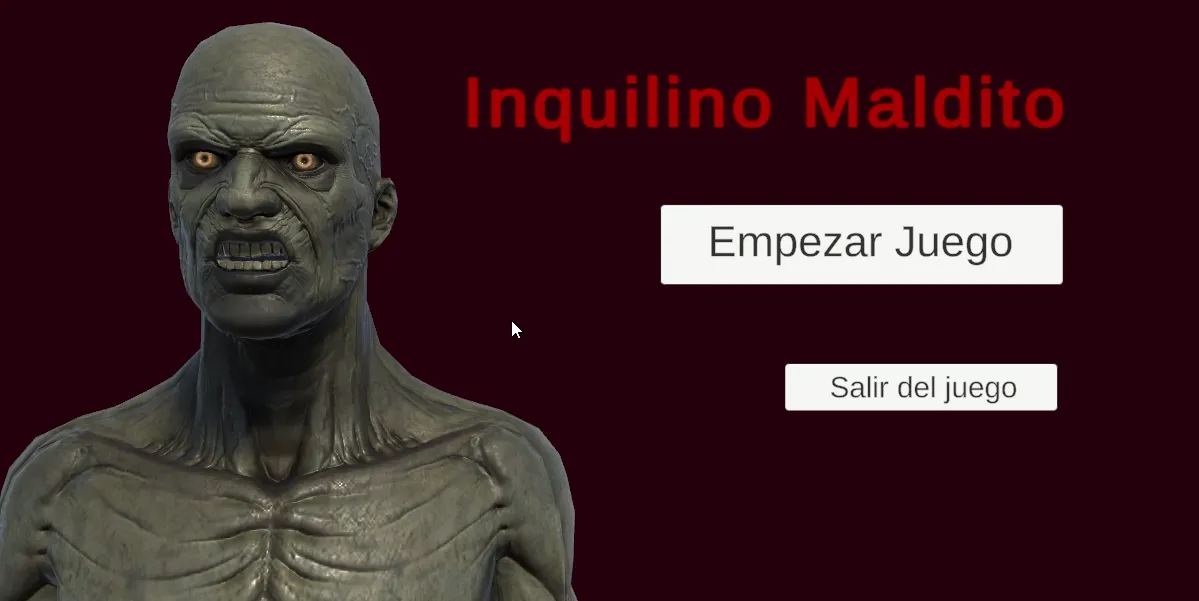
Video
Build
You can play the game here: https://simmer.io/@Ninquiet/inquilinomalditodemotecnica
Summary
It’s a game where you have to take down the zombies and escape. The zombies aren’t just static; they have a fairly polished movement system.
How it works
State Machine
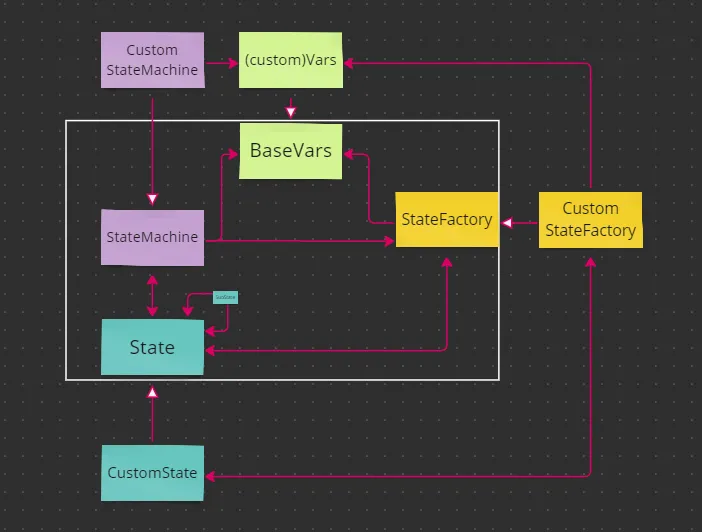
I designed a state machine system using generics, which lets me reuse it anywhere, including in later projects. The system is built around a base StateMachine, which is the core control unit and makes the final decision. Next is the State Factory, which organizes and returns the available states. Finally, there are the BaseState classes (and their variants), which handle the individual states, such as going from IDLE to walking, then moving, and so on.
To keep the system modular, I created a fourth component that manages the variables that are essential to the states and sub-states, as well as to the state machine itself. That is how Base Vars came about.
With this structure in place, I converted it to work with generic types so I could adapt it however I needed. This let me create variants such as ZombieStateMachine, and later ZombieDistanceStateMachine, which inherits from StateMachine and only modifies some states and variables (so that zombie didn’t have to be written from scratch).
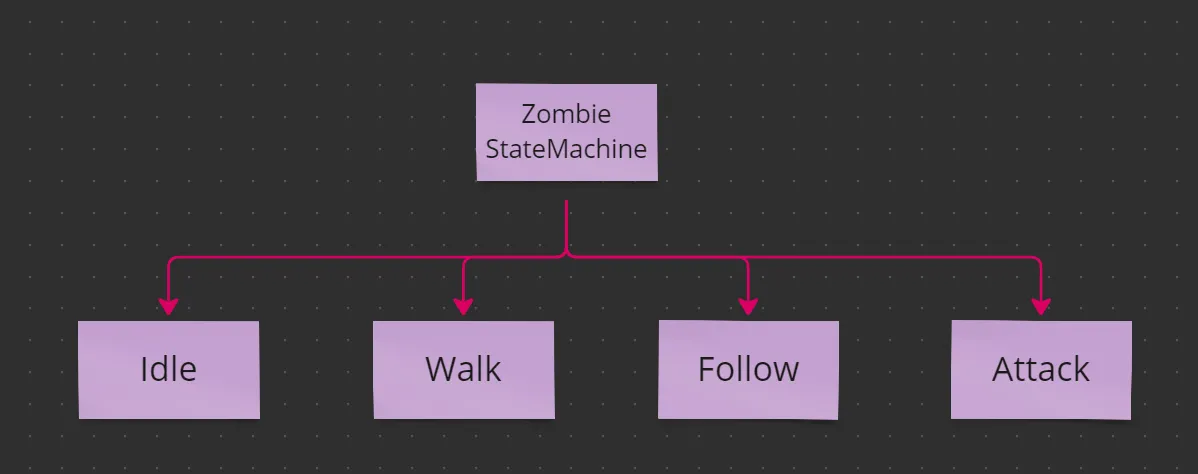
(example of the generic structure in use)
Player
The player doesn’t use a state machine. Instead, it uses a PlayerController that acts as the general control base. The key parts of the character are managing its health with LifeController (which the zombies use as well), tracking how many keys it is carrying with KeysHandler, handling the weapons it can use with PlayerWeaponHandler, and picking up items with PlayerItemPicker.cs, along with many other subsystems that support the player.
Weapons and Attacks
The damage and attack system works like this: the attacking character checks whether the target object has a LifeController. If it does, the damage is reported to it. The LifeController, in turn, uses an event system to notify every interested class of the changes, including the player’s possible death.
The ranged zombie performs its attack from within its state system, while the melee zombie uses a third class called EnemyBaseAttack. This delegates the physical attack process, which is a bit more complex than the ranged zombies’ attack.
Death
For this effect, and many others in the prototype, I used Cinemachine. By switching cameras and adjusting values in the UI, I created the effect of the player collapsing on death.
The zombies, for their part, also handle death through one of their states.
Enemy AI
I tried to make the state machine as polished as I could, so it includes details such as this: if a zombie has assigned waypoints, it follows them whenever it loses sight of the player, and when returning to its waypoints it always calculates which one is closest.
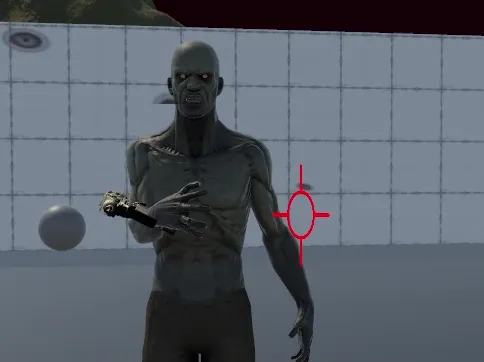
To move the enemy, I used a NavMesh system connected to the zombie’s StateMachine and controlled by its states.
I used a bit of Blender for the shooting zombie’s animation.
Effects
For cleaner, more polished transitions I used Cinemachine. I also used it for camera effects such as screen shake, for which I used the Impulse system.
For the gunshot effect I used the particle system along with some basic textures I created in Photoshop.
Items
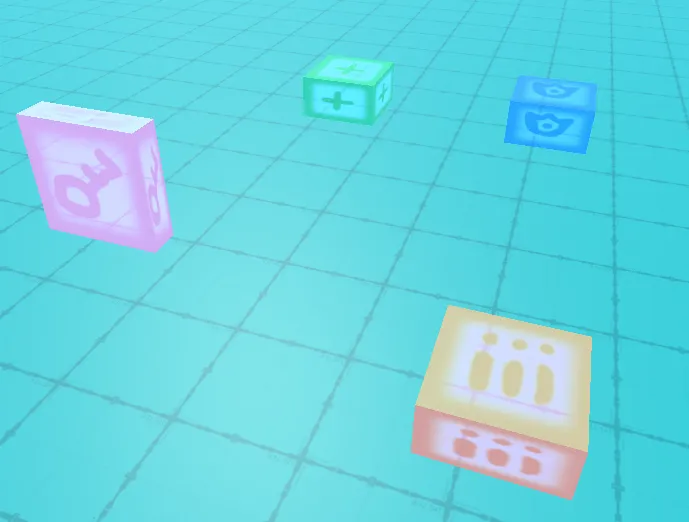
The item system lets the player interact with ammo, health, shield, and key pickups. Keys are used to open doors.
Notifications
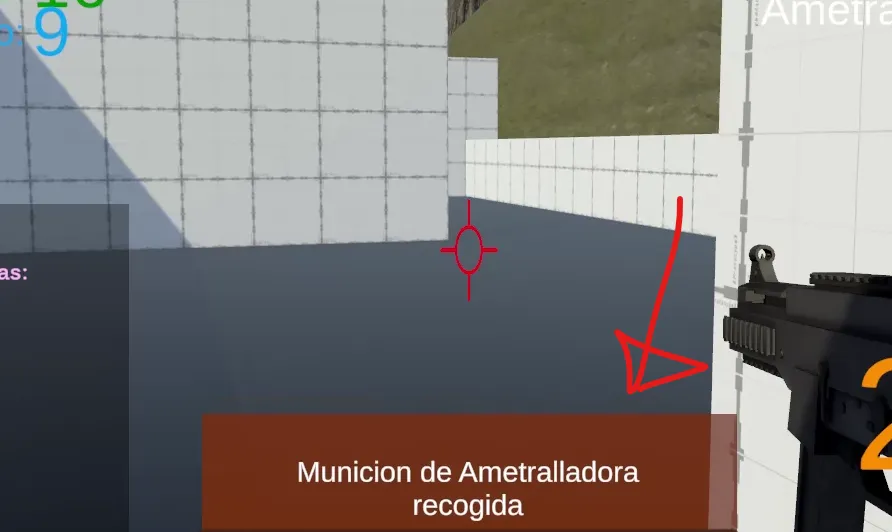
I implemented a notification system to give the player feedback. It makes it clear whether they picked up ammo and how much they received, whether an item healed them or boosted their shield, and even why a door won’t open. It’s the game’s main way of communicating with the player.
UI
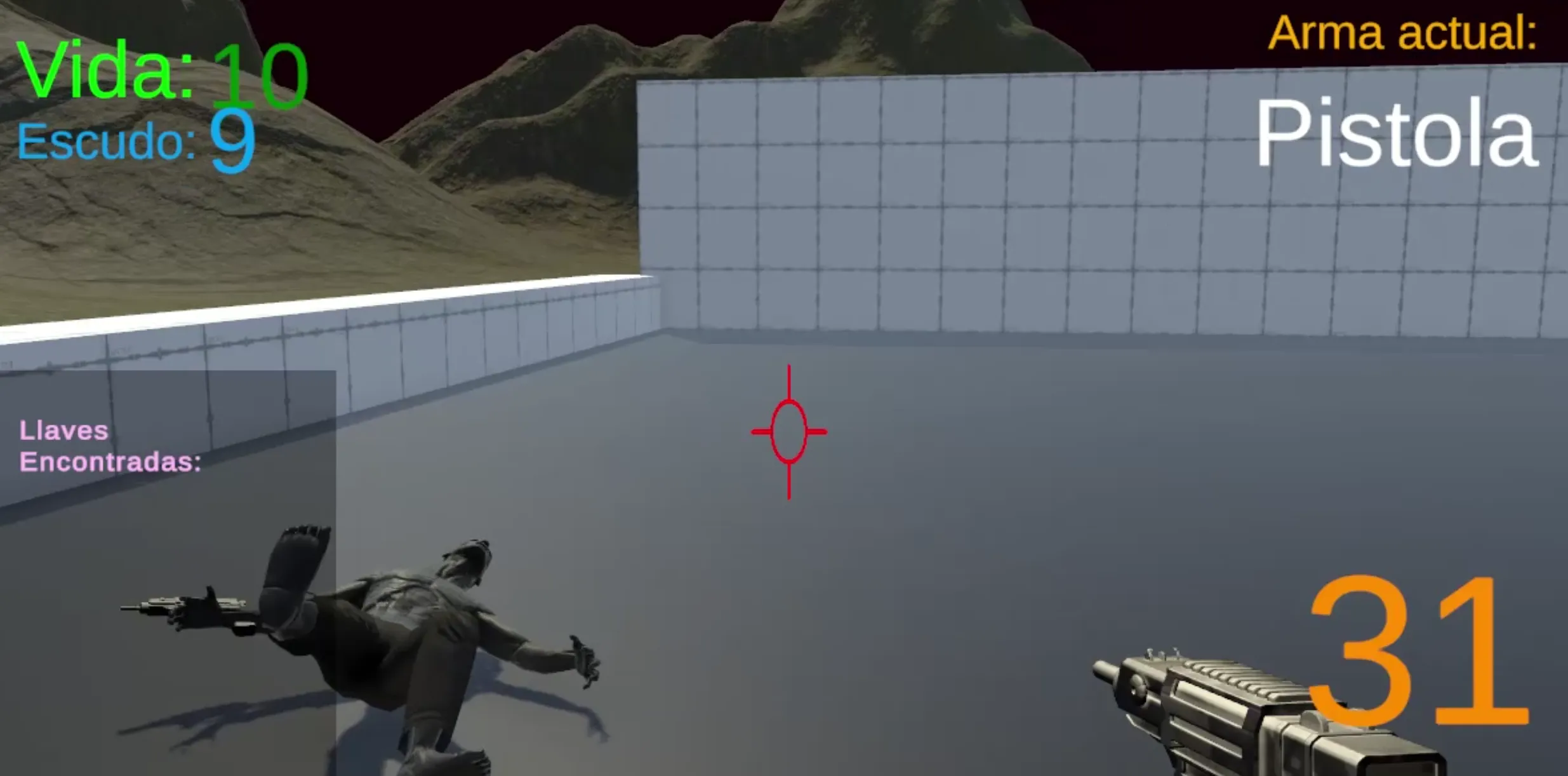
For the user interface I used the existing action system. By subscribing to each relevant class (for example, the player’s LifeController for health data, or PlayerWeaponHandler for weapon data), I was able to build an accurate display of each piece of important information the player needs.
Sounds
For the sound system I created a base class called BaseSoundPlayer, which plays a specific clip on an assigned AudioSource. From this class I derived PlayerSounds and ZombieSounds, which hold references to the specific sounds they use. This avoids duplicated code and has proven quite useful.
Assets used
For quick transitions.
// migrated from the old wordpress portfolio
ls ~/projects --related // keep playing
swingi-bois.unity
Swingi Bois Beta
A multiplayer VR game about elastic arms: launch your hands, grab, swing, inflate, and fling yourself across procedurally generated arenas.
bitdroid.unity
BitDroid
Action platformer with shooting, helmets as extra lives, and traps. Playable in the browser and on Android.
escuela-de-insultos.unity
Escapa de la Escuela de Insultos
Insult sword-fighting adventure inspired by Monkey Island, with a modular code core.