cat ~/projects/solo-en-la-sola-soledad.unity
Solo en la Sola Soledad
3D platformer built as UOC master coursework.
Repository:
gitlab.com/Ninquiet/NinquietUOC-3D-PEC2
Video
Build
You can play the game here: https://simmer.io/@Ninquiet/solo-en-la-sola-soledad-beta
Summary
It’s a platformer. Move with WASD or the arrow keys, jump with the space bar, and press Esc to open the pause menu.
You can defeat enemies by jumping on them, but if they touch you, you die instantly (it’s built so a more complex health system can be added in the future).
How it works
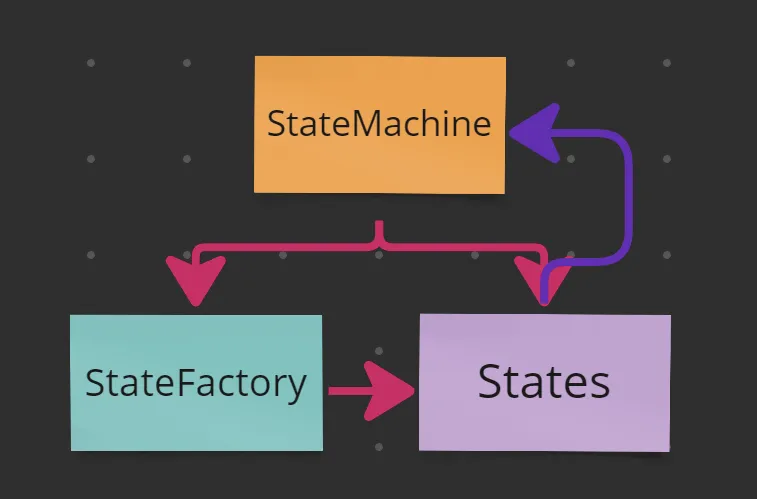
I built it with scalability in mind, so I created a basic state machine that works for every character (both enemies and the player count as characters), with each one providing its own implementation. For example, the player’s movement is driven by input (I used Unity’s new Input System for this), while the enemies’ movement is driven by triggers that detect the player.
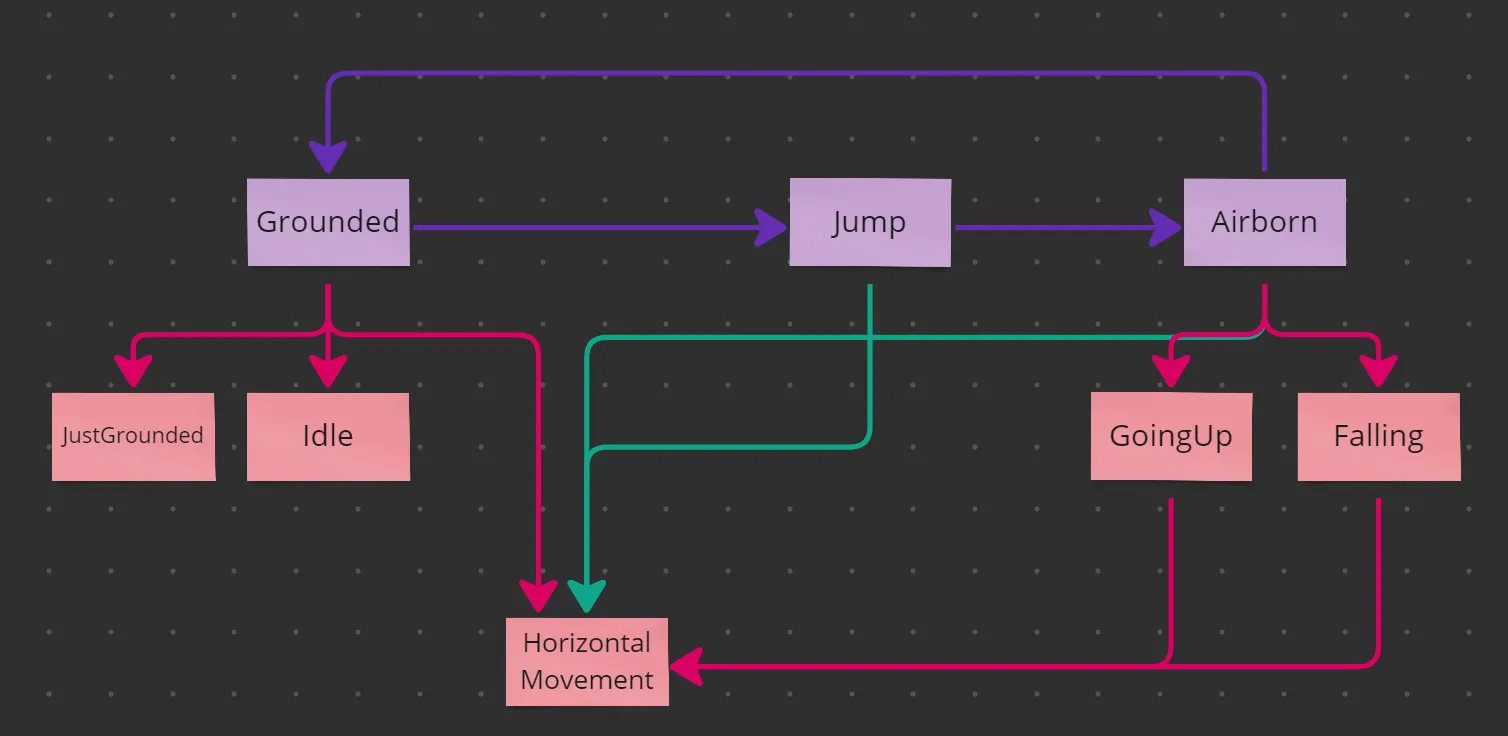
The state machine is hierarchical. It first transitions between root states such as Grounded, Jump, and Airborne. When entered, these states assign second-level sub-states based on the variables in the context (the context being the state machine itself). Those sub-states can in turn assign their own sub-states, which is why some of them assign the HorizontalMovement sub-state.
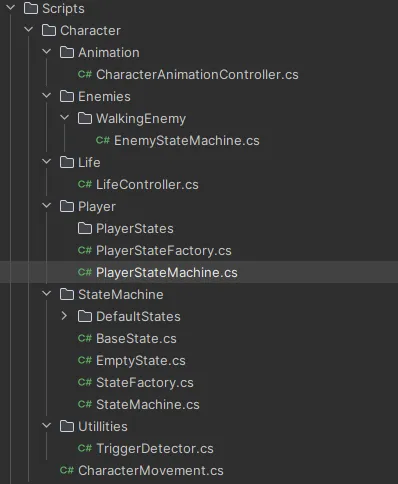
The rest is quite simple: the player and each enemy create their own variants of the base state machine with their own implementations. The idea was for them to also create their own sub-states and state factory, but in the end that wasn’t necessary (the structure is still there so the project can scale in the future).
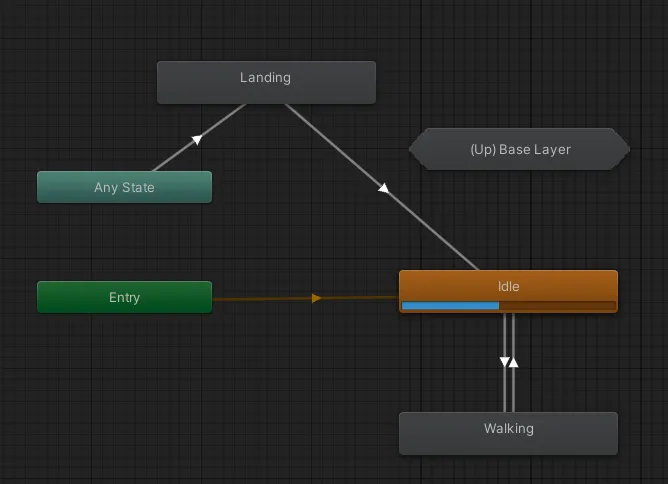
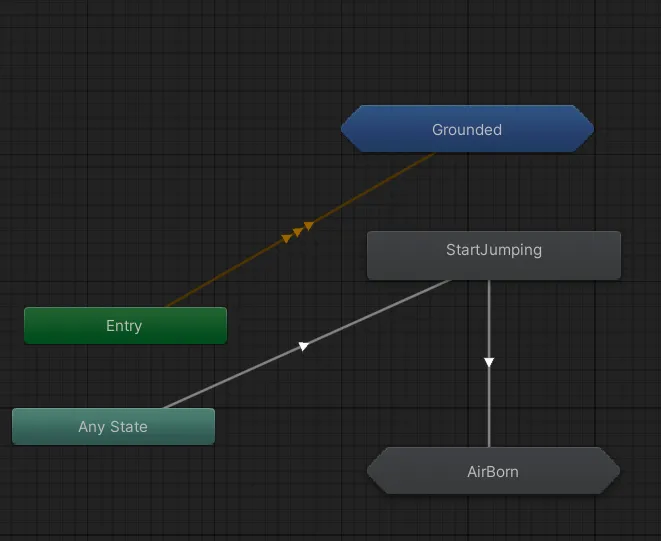
For animation I created a class called “CharacterAnimationController.cs”, which the state machine’s states control by sending it different changes for the Animator. The Animator uses sub-states to handle the character’s actions in the air and on the ground (for the enemies I used a copy of the same Animator with the enemy’s animations).
For the level I used a Tilemap with a dynamic tile I created, which I used throughout the entire level.
Assets used
DoTween For quick transitions.
Cinemachine For controlling camera movement.
Kenney 1-Bit Asset I used this texture to create all the sprites in the game.
// migrated from the old wordpress portfolio
ls ~/projects --related // keep playing
swingi-bois.unity
Swingi Bois Beta
A multiplayer VR game about elastic arms: launch your hands, grab, swing, inflate, and fling yourself across procedurally generated arenas.
bitdroid.unity
BitDroid
Action platformer with shooting, helmets as extra lives, and traps. Playable in the browser and on Android.
escuela-de-insultos.unity
Escapa de la Escuela de Insultos
Insult sword-fighting adventure inspired by Monkey Island, with a modular code core.